

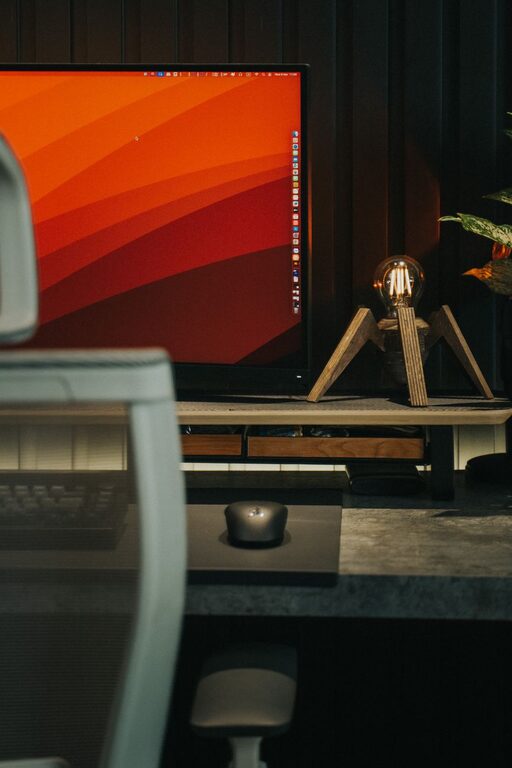
Working from home offers flexibility, but it can also make it harder to stay focused. Household tasks, personal devices, family members, and an informal environment can all compete for your attention. Without the structure of a traditional workplace, even simple tasks may take longer than expected.
The good news is that better focus does not require a perfect home office or a complicated system. A few practical changes to your space, schedule, and daily habits can make work feel more organized and manageable.
Create a Dedicated Work Area
A consistent work area helps your mind connect a specific place with work. This does not have to be a separate office. A corner of a room, a small desk, or part of a dining table can work well if it is used regularly.
Keep the area as simple as possible. Remove items that are unrelated to your work, and keep frequently used supplies within easy reach. A tidy space can make it easier to begin tasks without spending time looking for what you need.
If possible, avoid working from places associated with rest, such as your bed. Keeping work and relaxation areas separate can make it easier to shift between work time and personal time.
Make Your Setup Comfortable
Your work area should support comfortable, sustained work. Consider the following:
– Place your screen at a comfortable height.
– Use a chair that supports an upright posture.
– Keep your keyboard and mouse within easy reach.
– Make sure the area has enough light.
– Reduce glare on your screen when possible.
– Keep water and essential supplies nearby.
A comfortable setup can reduce small distractions and help you stay focused on the task in front of you.
Set Clear Working Hours
One of the most useful habits for remote work is setting consistent working hours. A defined start time helps you begin with purpose, while a planned end time creates a clear boundary between work and personal activities.
Your schedule does not need to match a traditional nine-to-five routine. Choose hours that fit your responsibilities and your team’s expectations. Once you choose a schedule, try to follow it consistently.
At the beginning of the day, write down your start time and the main tasks you want to complete. At the end, take a few minutes to review your progress and prepare for the next day. This simple routine can reduce uncertainty and make it easier to focus.
Plan Your Most Important Tasks
A long to-do list can feel overwhelming. Instead of listing every possible task, identify two or three priorities for the day. These are the tasks that would make the day feel productive if they were completed.
Break larger projects into smaller actions. For example, “work on presentation” is broad, while “outline the first three slides” is specific and easier to begin.
A useful daily plan might include:
- One high-priority task
- Two or three smaller tasks
- A short list of optional tasks
- Scheduled meetings and breaks
Start with the task that requires the most concentration if your energy is usually strongest early in the day. If you focus better later, reserve that time for demanding work instead.
Use Time Blocks
Time blocking means assigning specific periods to particular activities. For example, you might reserve the first hour for writing, the next hour for meetings, and the afternoon for administrative work.
This approach reduces the need to decide what to do next. It also helps prevent different types of work from blending together.
When creating time blocks:
– Give each block one main purpose.
– Leave space between meetings and tasks.
– Add time for email and messages.
– Include regular short breaks.
– Avoid filling every minute of the day.
A schedule with no flexibility can become stressful when unexpected requests appear. Leave open periods so you can adjust without losing control of the day.
Reduce Digital Distractions
Notifications can interrupt focus even when you do not respond to them immediately. A quick message or update can lead to several minutes of unrelated browsing.
Review the notification settings on your computer and phone. Turn off alerts that are not necessary during focused work. You can also close unused browser tabs and keep work-related tools in a separate browser window.
Consider checking email and chat messages at planned times instead of keeping them open continuously. For example, you might review messages at the start of the day, before lunch, and near the end of the afternoon.
If a task requires deep concentration, use a status message to let coworkers know when you will be available again. Clear communication can reduce unnecessary interruptions.
Try Focus Sessions
A focus session is a set period during which you work on one task without switching activities. The session can be 25 minutes, 45 minutes, or any length that suits your work style.
Before starting, define what you intend to complete. Then remove distractions and work only on that task until the session ends. Take a short break afterward before starting another session.
You can use a timer, but the method should remain flexible. Some tasks may need longer sessions, while others may be easier to complete in shorter intervals. The main goal is to protect your attention from constant switching.
Take Intentional Breaks
Breaks are an important part of a focused workday. Without planned pauses, it is easy to work for too long and then lose concentration.
A short break might include:
– Standing up and moving around
– Getting a drink of water
– Looking away from your screen
– Opening a window
– Stretching lightly
– Having a brief conversation
Try to step away from your work area during longer breaks. This creates a clear pause and helps prevent breaks from turning into extended time on distracting websites or apps.
Manage Household Interruptions
Working from home often means sharing space with other people or managing household responsibilities. Discuss your work hours with anyone who may need your attention, and explain when interruptions are acceptable.
A closed door, a sign, or a visible status indicator can communicate that you are in a meeting or focus session. If you care for children or share a small space, complete flexibility may not be possible. In that case, plan demanding tasks during the quietest available periods and keep lower-focus tasks for busier times.
It also helps to separate urgent matters from issues that can wait. Not every household task needs immediate attention during working hours.
Create a Start and End Routine
A short routine can help mark the beginning and end of the workday. This is especially useful when there is no commute to create that transition.
A start routine could include:
– Making a drink
– Reviewing your schedule
– Choosing your top priorities
– Preparing your workspace
– Closing personal apps
An end routine might include:
– Reviewing completed tasks
– Moving unfinished work to a list
– Clearing your desk
– Closing work applications
– Writing down tomorrow’s first task
These habits create a sense of structure and make it easier to stop working when the day is over.
Review What Works
Focus strategies are not one-size-fits-all. At the end of each week, take a few minutes to consider what helped and what created problems.
Ask yourself:
– When did I focus most easily?
– Which interruptions happened repeatedly?
– Did my schedule include enough breaks?
– Were my daily priorities realistic?
– Which tasks took longer than expected?
– What small change could improve next week?
Use your answers to adjust your routine. Better focus usually comes from small, consistent improvements rather than a complete change in your work habits.
Working from home becomes easier when your environment and schedule support your attention. A dedicated workspace, clear priorities, planned focus sessions, fewer notifications, and intentional breaks can help you work with greater consistency. Start with one or two changes, give them time to become habits, and build from there.